IoT Air Purifier
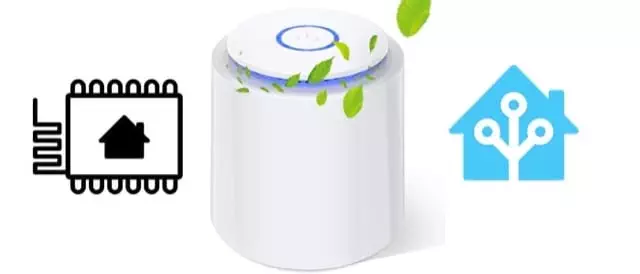
Last november I bought an air purifier on amazon. The selling point was the hepa filter and the low price. This thing is “ok”, per se: it filters air, it has got a button and some leds.
Then comes the noise… there’s no way you can have this thing screaming in the bedroom all the night. And the published 32db are plain bullshit.
Before
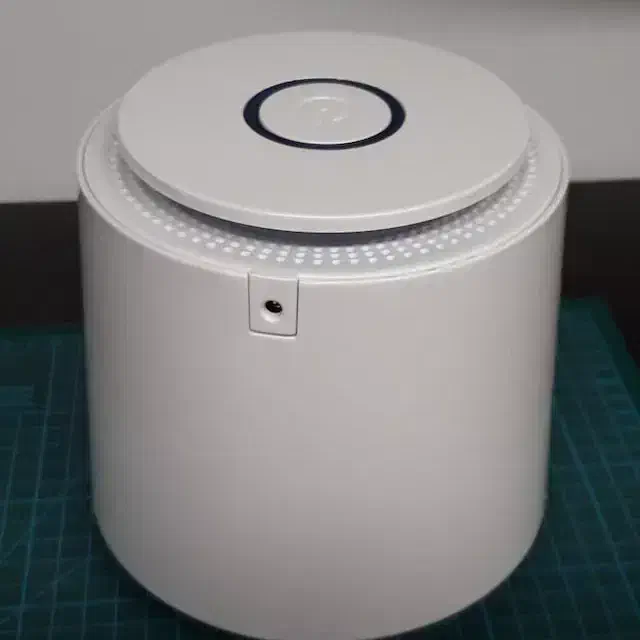
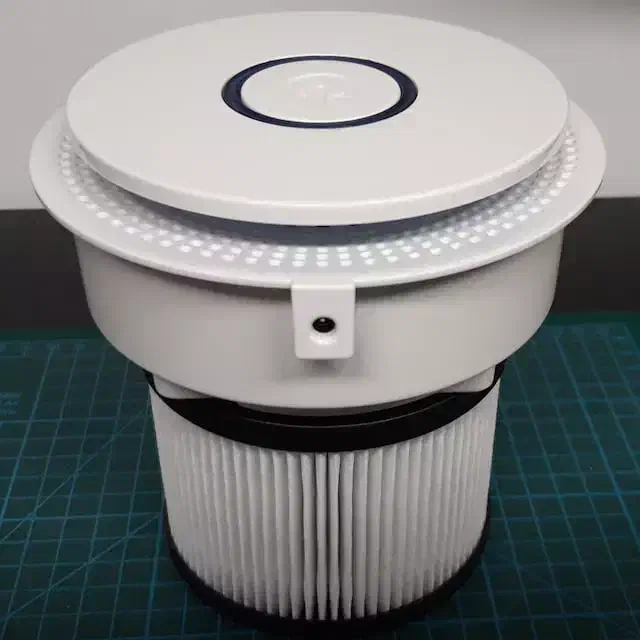
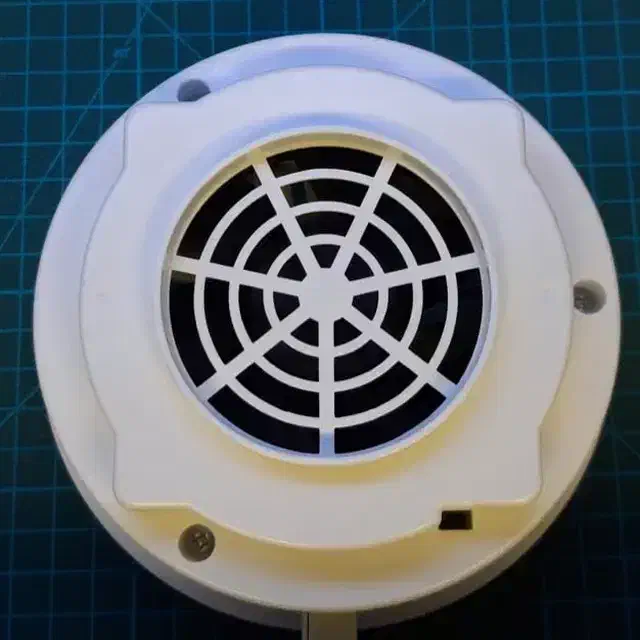
As you can guess, there’s a standard fan inside.
Inside
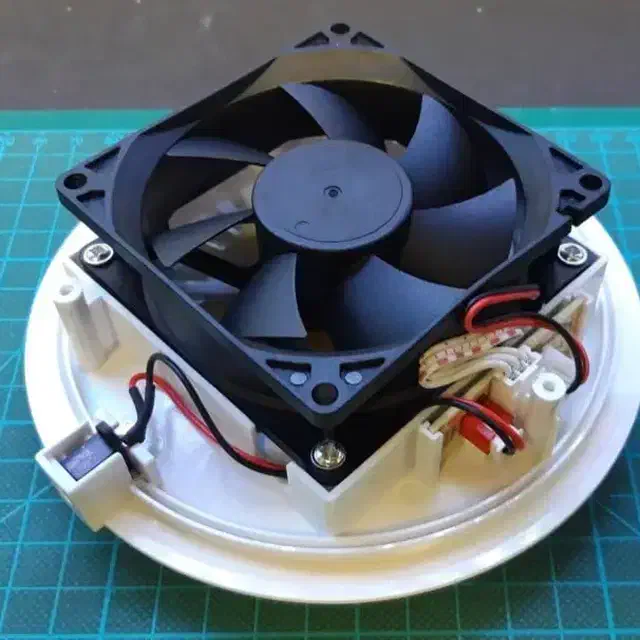
It’s a standard 80mm 5V DC fan, without PWM, without tachymetric return, DC only. There’s also a connector board, and something hidden below.
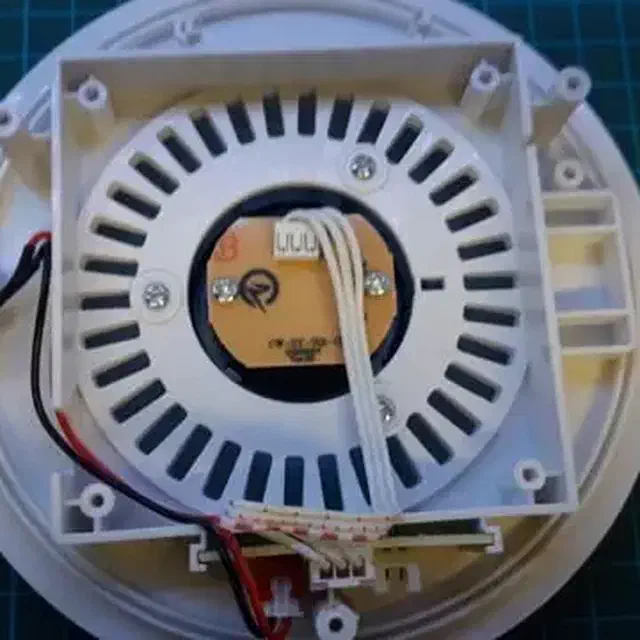
Below the fan there’s a PCB, which manages the four LEDs, the button and controls the FAN.
My whishlist
These are the modifications planned:
- swap the noisy fan for a much quieter Noctua
- install a D1-mini to control the fan, the button and the LEDs
- if possible, no external modification
PCB modding
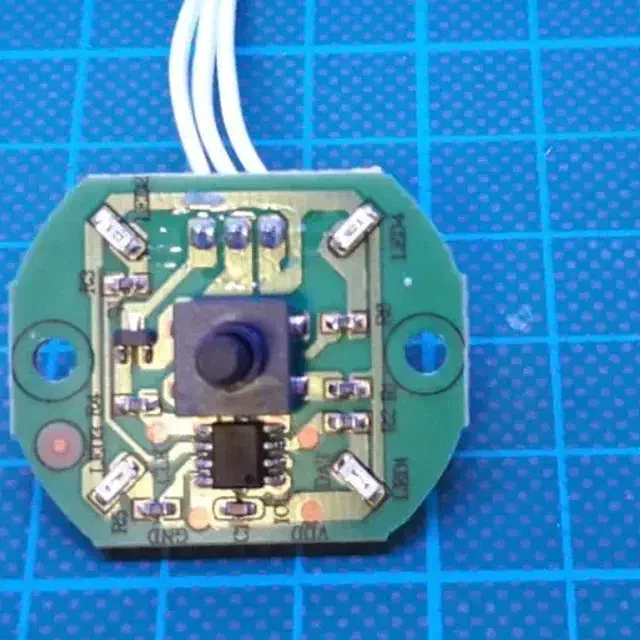
Since I don’t want to resolder the button and invent something for the LEDs, I tried to use the existing PCB.
I used a multimeter to map the three pins on the top, which are (from left to right): FAN_OUT, GND, 5VDC.
I then mapped the pins on the IC on the bottom, and then I removed it.
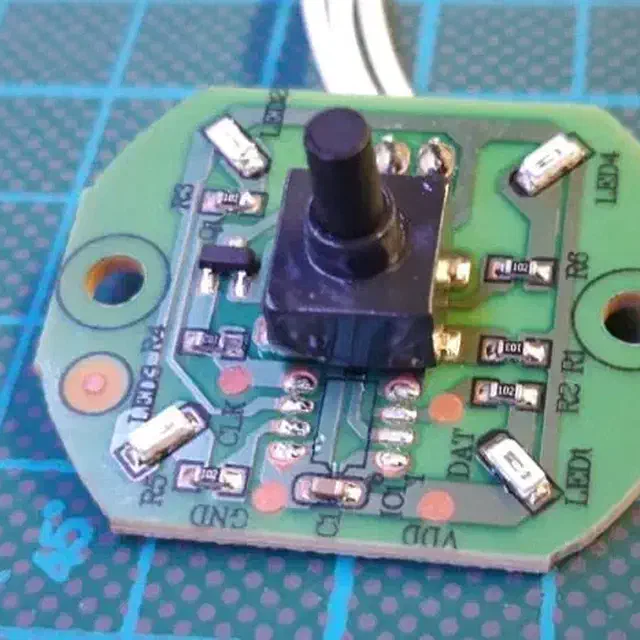
| signal | PIN | PIN | signal |
|---|---|---|---|
| FAN OUT | 5 | 4 | Button |
| LED 2 | 6 | 3 | LED 1 |
| LED 3 | 7 | 2 | LED 4 |
| GND | 8 | 1 | Vcc |
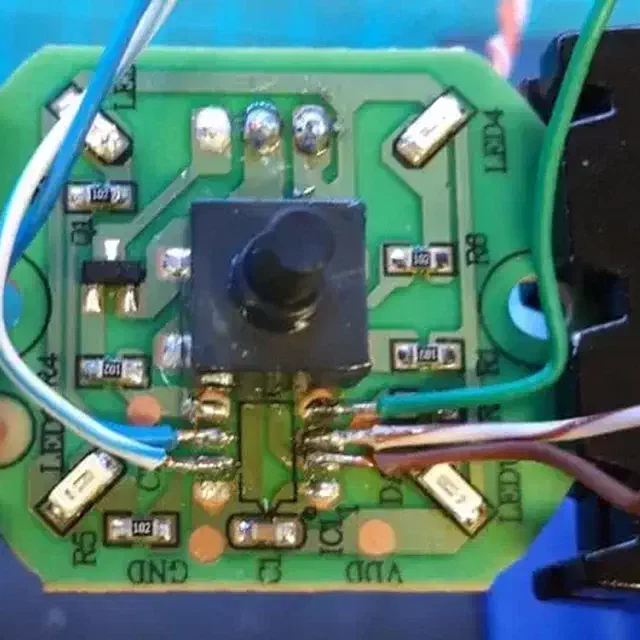
I soldered some wires for the 4 LEDs and the button. Power and ground are taken from the top 3 pins. This soldering is nothing I’m proud of, but believe me, the hot glue I poured onto the PCB for “isolation” is something I don’t want to show.
The new fan
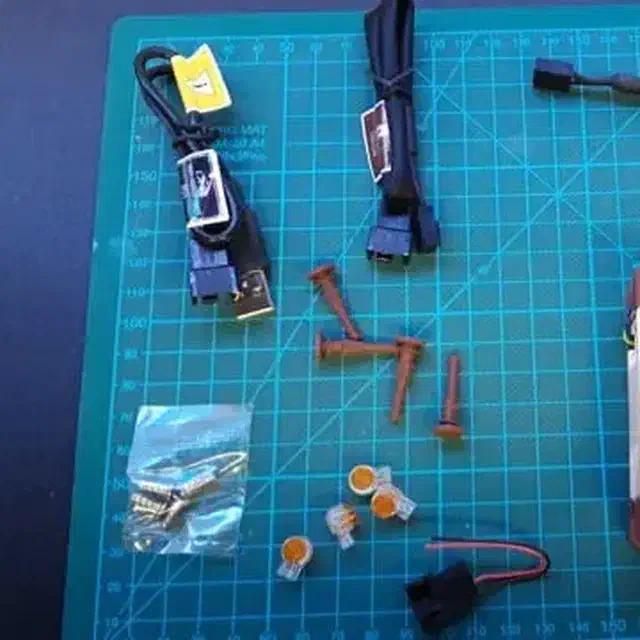
This fan (Noctua NF-A8 PWM) is amazing. At “normal” speed, it is almost silent. And it can be controlled by PWM. I needed a PWM fan because I can power it using the 5V from the power supply and control its speed via a signal from the D1-mini. The alternative was an external amplifier to drive the fan in DC. I like the PWM solution more.
So I chopped off the connector from the Noctua and connected everything to a D1-mini.
The controller
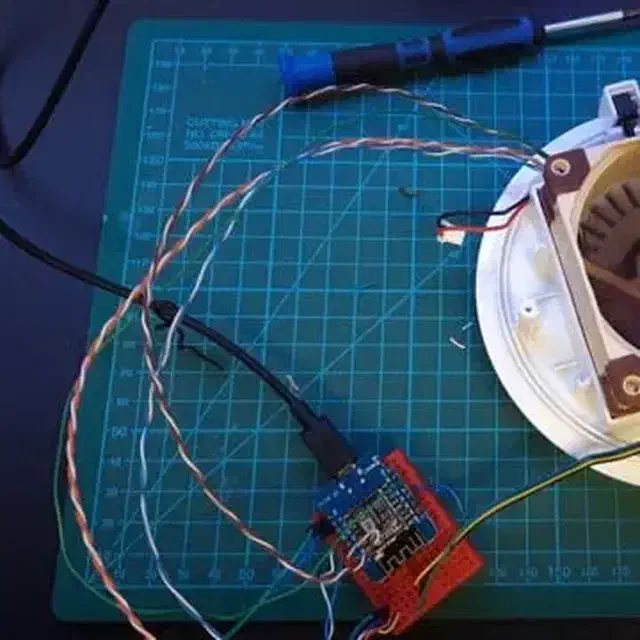
We’ll see the software part later on.
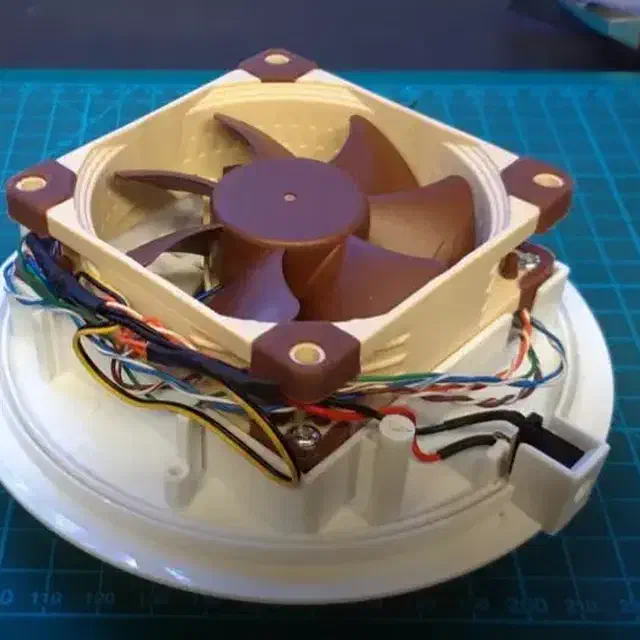
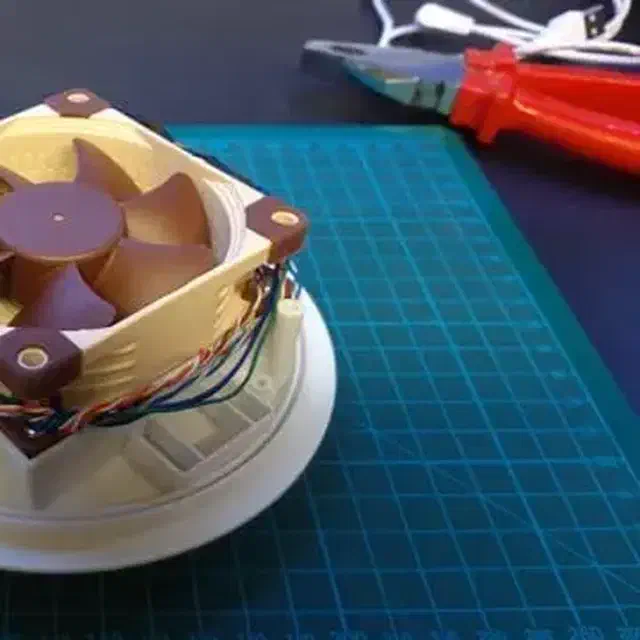
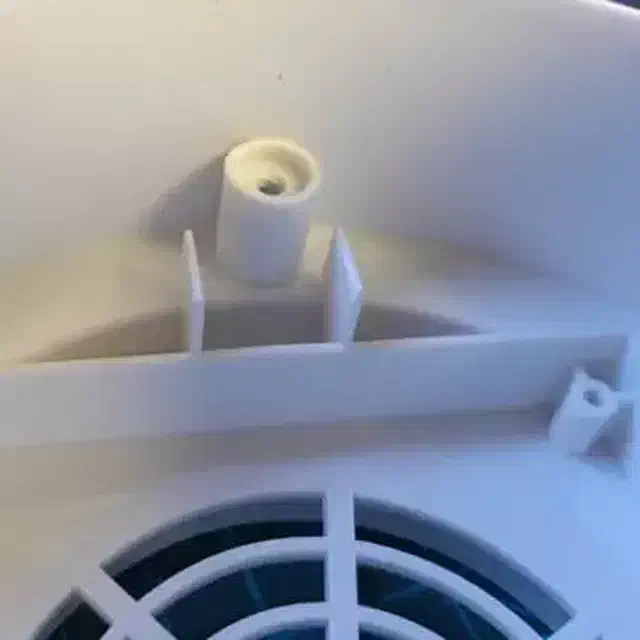
I soldered the wires on the D1-mini and fitted the D1-mini in the place where the connector board was. Then I encountered a small problem: the D1-mini is a bit bigger than the previous board and 2 plastic bezels were blocking the cover so I couldn’t close it.
Say goodbye to these plastic bezels.
The software
The best way to DIY something like this is ESPHome. I use it in my Home Assistant, so it’s easier to let them talk.
This is the source:
substitutions:
  display_name: my_purifier
  use_address: !secret ip_my_purifier
  static_ip: !secret ip_my_purifier

esphome:
  platform: ESP8266
  name: ${display_name}
  board: d1_mini
  on_boot:
    priority: -10
    then:
      - delay: 2s
      - fan.turn_on:
          id: myfan
          speed: LOW

wifi:
  use_address: ${use_address}
  ssid: !secret iot_wifi_ssid
  password: !secret iot_wifi_password
  fast_connect: true
  power_save_mode: none
  reboot_timeout: 10min
  manual_ip:
    static_ip: ${static_ip}
    gateway: !secret iot_network_gateway
    subnet: !secret iot_network_subnet
    dns2: !secret iot_network_dns2
    dns1: !secret iot_network_dns1

web_server:
  port: 80

logger:

api:
  reboot_timeout: 0s

ota:
  password: !secret ota_password

sensor:
  - platform: wifi_signal
    name: ${display_name} WiFi RSSI
    update_interval: 60s

switch:
  - platform: restart
    name: ${display_name} Restart
    id: restart_switch

time:
  - platform: sntp
    id: mytime
    servers:
      - !secret iot_ntp_server
    on_time:
      - seconds: 0
        minutes: 0
        hours: 4
        days_of_week: MON-SUN
        then:
          - switch.toggle: restart_switch

mqtt:
  broker: !secret mqtt_broker
  username: !secret mqtt_username
  password: !secret mqtt_password
  discovery: True

#  PIN ASSIGNMENT
#
# D0 fan tachy
# D1 led1
# D2 led2
# D3 led3
# D4 status led
# D5 led4
# D6 fan pwm
# D7 button
# D8 - spare

status_led:
  pin:
    number: D4
    inverted: True

fan:
  - platform: speed
    output: pwm_fan_output
    name: ${display_name} fan
    id: myfan
    speed:
      low: 0.25
      medium: 0.5
      high: 0.9

# Noctua NF-A8 5V PWM, tech specs:
#   https://noctua.at/en/nf-a8-5v-pwm/specification
# at 100% the fan runs at 2200 RPM, +/- 10%
# the minimum speed is 450 RPM, +/- 20%, we use a 540rpm, which is around 25%

# FAN wire colors:
# - blue: PWM command
# - green: fan tachy return
# - yellow: 5V
# - black: GND

light:
  - platform: monochromatic
    output: pwm_led1_output
    name: ${display_name} LED1
    id: led_light_1
    effects:
       - lambda:
           name: Breathing SLOW
           update_interval: 10s
           lambda: |-
            static int state = 0;
            static int color = 1;
            auto call = id(led_light_1).turn_on();
            call.set_transition_length(9300);
            if (state == 0) {
             call.set_brightness(1.0);
            } else if (state == 1) {
             call.set_brightness(0.01);
            }
             call.perform();
             state ++;
             if (state == 2){
             state = 0;
             }
       - lambda:
           name: Breathing MID
           update_interval: 5s
           lambda: |-
            static int state = 0;
            static int color = 1;
            auto call = id(led_light_1).turn_on();
            call.set_transition_length(4500);
            if (state == 0) {
             call.set_brightness(1.0);
            } else if (state == 1) {
             call.set_brightness(0.01);
            }
             call.perform();
             state ++;
             if (state == 2){
             state = 0;
             }
       - lambda:
           name: Breathing FAST
           update_interval: 2s
           lambda: |-
            static int state = 0;
            static int color = 1;
            auto call = id(led_light_1).turn_on();
            call.set_transition_length(1800);
            if (state == 0) {
             call.set_brightness(1.0);
            } else if (state == 1) {
             call.set_brightness(0.01);
            }
             call.perform();
             state ++;
             if (state == 2){
             state = 0;
             }

  - platform: monochromatic
    output: pwm_led2_output
    name: ${display_name} LED2
    id: led_light_2
    effects:
       - lambda:
           name: Breathing SLOW
           update_interval: 10s
           lambda: |-
            static int state = 0;
            static int color = 1;
            auto call = id(led_light_2).turn_on();
            call.set_transition_length(9300);
            if (state == 0) {
             call.set_brightness(1.0);
            } else if (state == 1) {
             call.set_brightness(0.01);
            }
             call.perform();
             state ++;
             if (state == 2){
             state = 0;
             }
       - lambda:
           name: Breathing MID
           update_interval: 5s
           lambda: |-
            static int state = 0;
            static int color = 1;
            auto call = id(led_light_2).turn_on();
            call.set_transition_length(4500);
            if (state == 0) {
             call.set_brightness(1.0);
            } else if (state == 1) {
             call.set_brightness(0.01);
            }
             call.perform();
             state ++;
             if (state == 2){
             state = 0;
             }
       - lambda:
           name: Breathing FAST
           update_interval: 2s
           lambda: |-
            static int state = 0;
            static int color = 1;
            auto call = id(led_light_2).turn_on();
            call.set_transition_length(1800);
            if (state == 0) {
             call.set_brightness(1.0);
            } else if (state == 1) {
             call.set_brightness(0.01);
            }
             call.perform();
             state ++;
             if (state == 2){
             state = 0;
             }

  - platform: monochromatic
    output: pwm_led3_output
    name: ${display_name} LED3
    id: led_light_3
    effects:
       - lambda:
           name: Breathing SLOW
           update_interval: 10s
           lambda: |-
            static int state = 0;
            static int color = 1;
            auto call = id(led_light_3).turn_on();
            call.set_transition_length(9300);
            if (state == 0) {
             call.set_brightness(1.0);
            } else if (state == 1) {
             call.set_brightness(0.01);
            }
             call.perform();
             state ++;
             if (state == 2){
             state = 0;
             }
       - lambda:
           name: Breathing MID
           update_interval: 5s
           lambda: |-
            static int state = 0;
            static int color = 1;
            auto call = id(led_light_3).turn_on();
            call.set_transition_length(4500);
            if (state == 0) {
             call.set_brightness(1.0);
            } else if (state == 1) {
             call.set_brightness(0.01);
            }
             call.perform();
             state ++;
             if (state == 2){
             state = 0;
             }
       - lambda:
           name: Breathing FAST
           update_interval: 2s
           lambda: |-
            static int state = 0;
            static int color = 1;
            auto call = id(led_light_3).turn_on();
            call.set_transition_length(1800);
            if (state == 0) {
             call.set_brightness(1.0);
            } else if (state == 1) {
             call.set_brightness(0.01);
            }
             call.perform();
             state ++;
             if (state == 2){
             state = 0;
             }

  - platform: monochromatic
    output: pwm_led4_output
    name: ${display_name} LED4
    id: led_light_4
    effects:
       - lambda:
           name: Breathing SLOW
           update_interval: 10s
           lambda: |-
            static int state = 0;
            static int color = 1;
            auto call = id(led_light_4).turn_on();
            call.set_transition_length(9300);
            if (state == 0) {
             call.set_brightness(1.0);
            } else if (state == 1) {
             call.set_brightness(0.01);
            }
             call.perform();
             state ++;
             if (state == 2){
             state = 0;
             }
       - lambda:
           name: Breathing MID
           update_interval: 5s
           lambda: |-
            static int state = 0;
            static int color = 1;
            auto call = id(led_light_4).turn_on();
            call.set_transition_length(4500);
            if (state == 0) {
             call.set_brightness(1.0);
            } else if (state == 1) {
             call.set_brightness(0.01);
            }
             call.perform();
             state ++;
             if (state == 2){
             state = 0;
             }
       - lambda:
           name: Breathing FAST
           update_interval: 2s
           lambda: |-
            static int state = 0;
            static int color = 1;
            auto call = id(led_light_4).turn_on();
            call.set_transition_length(1800);
            if (state == 0) {
             call.set_brightness(1.0);
            } else if (state == 1) {
             call.set_brightness(0.01);
            }
             call.perform();
             state ++;
             if (state == 2){
             state = 0;
             }
output:
  - platform: esp8266_pwm
    pin: D6
    frequency: 2200 Hz
    id: pwm_fan_output

  - platform: esp8266_pwm
    pin: D1
    inverted: true
    frequency: 1000 Hz
    id: pwm_led1_output
  - platform: esp8266_pwm
    pin: D2
    inverted: true
    frequency: 1000 Hz
    id: pwm_led2_output
  - platform: esp8266_pwm
    pin: D3
    inverted: true
    frequency: 1000 Hz
    id: pwm_led3_output
  - platform: esp8266_pwm
    pin: D5
    inverted: true
    frequency: 1000 Hz
    id: pwm_led4_output

binary_sensor:
  - platform: gpio
    pin:
      number: D7
      mode: INPUT_PULLUP
    name: ${display_name} button
    filters:
      - invert:
      - delayed_on: 10ms

  - platform: status
    name: ${display_name} Status
I use MQTT in my setup, but it’s not the common choice. This would be using the ESPhome APIs which integrates seamlessly into Home Assistant.
If you want to use the above yaml, you have to provide your settings in place of the “secrets”.
I usually put in all my ESPhome devices:
- a sensor for the wifi signal
- a status binary sensor to check if the device is connected from Home Assistant
- a weekly reboot
- a remote restart command
- a “status led” function, which I use on the D1-mini LED
On device start, the fan is switched on at low speed.
The button switches on and off the fan, but doesn’t control the speed. I didn’t implement this because I’ll probably never use the button anyway.
I still don’t know what I want the 4 LEDs to do. But I added a PWM control for all of them, combined with some “breathing” effect, in 3 different speeds. I can use these LEDs as light components in Home Assistant, so I can precisely dim the LEDs at specified brightness, or I can use these “breathing” effects.
The only interesting automation I did in Home Assistant is the speed change of the fan, according to the status of my room light: when I enter the room and I switch on the light, the speed is reduced to LOW; when I exit and switch off the light, the speed is changed to MID.
I also added a telegram warning if the device is disconnected for more than 5 minutes.
I connected but didn’t use the fan return signal. Maybe in the future I’ll add an alarm if the fan is stuck.
Costs
Somebody asked for the cost of this project; here’s the part list:
- The original purifier - it was in promo at € 19,66
- D1 mini - I bought a pack of three, at € 5,33 cad.
- Noctua fan - € 15,90
So the grand total is: € 40,89
Coming up next
I bought an air quality sensor.